Installable skill / MIT / v0.1
Cloud cost projection
Finance-grade workbook from reseller invoices, contracts, and the console. Three scenarios, commitment flags, vendor cash timing, KPI cap check.
From invoices to a plan.
Build a Finance-grade, formula-driven cloud cost projection for GCP/AWS spent through a reseller.
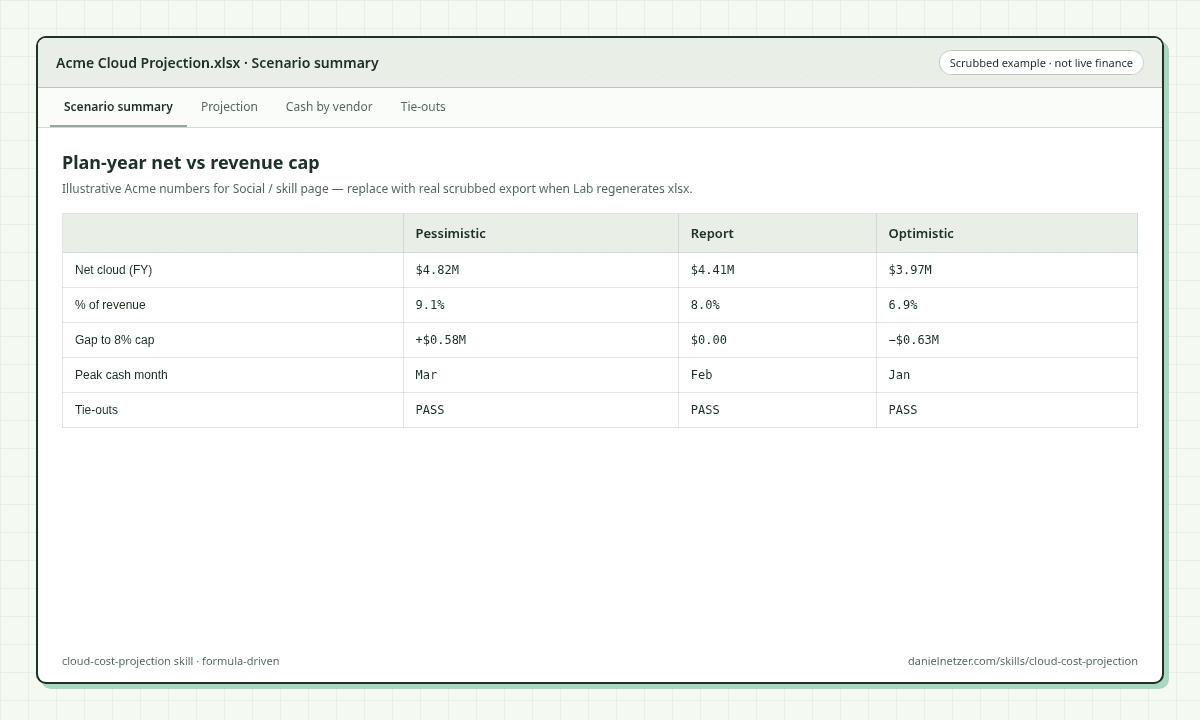
The skill fills a JSON config from invoices, a cloud cost module, contracts, and the console, then scripts/build_model.py writes a workbook Finance and a CTO can both sign: amortized spend by product and project, three scenarios, commitments flagged, cash by vendor and project on real payment timing, and tie-outs that prove the numbers.
It is for operators who already feel cloud spend in the plan year, not for napkin estimates.
Never invent a line an invoice can tell you.
What it does
- Scopes the model in three questions: which projects are in, how account-level vendors allocate, and whether cash is whole-account or in-scope share.
- Pulls a source stack in priority order: reseller tax invoices (ground truth), cloud cost module cross-check (~1–4% of invoice), contracts from email, cloud console (CUDs, credit milestones), Finance plan numbers.
- Reconciles a project × product matrix to the invoice sub-total before any forecast runs.
- Flags lines as Variable, Committed, Floor, or Discretionary; amortizes contract savings inside term; models milestone credits as single-month tranches (not a flat monthly smear).
- Builds three scenarios (Pessimistic / Realistic / Optimistic) with growth, initiative delivery, credit timing, and optional innovation-envelope utilization.
- Emits xlsx + long-format CSV, recalculates formulas (LibreOffice via the xlsx skill’s recalc.py when present), and refuses delivery unless four tie-outs hold: zero formula errors, invoice reconciliation ≈ 0, every Shares row = 100%, Breakdown grand total = Projection net and Cash-by-project = vendor cash (within cents).
Package layout (from Zip): SKILL.md, scripts/build_model.py, references/ (sources, method, config, checklist), examples/example_config.json (scrubbed).
Who it’s for
CFOs, FinOps, and engineering leaders who need a plan-year cloud number against a revenue KPI or cap, with cash timing and commitment floors visible. Not a substitute for your live bill or FinOps dashboard. Not a generic “AI will cut your cloud spend” pitch. If you will not open invoices and contracts, do not run this skill.
How to install / use
- Install with npx skills add DanielNetzer/skills --skill cloud-cost-projection (add --agent cursor to target Cursor), or download the Zip and place the folder so SKILL.md is the skill root.
- Open a chat and paste the prompt from the Install panel (or ask to project / forecast / budget cloud spend).
- After the config is filled: python3 scripts/build_model.py <config.json> <output_dir>. Requires Python 3 + openpyxl; LibreOffice + the xlsx skill’s recalc.py for formula recalculation and printed tie-outs.
- Deliver only when the four tie-outs in SKILL.md pass.
License / credit
MIT · Daniel Netzer
Package: https://github.com/DanielNetzer/skills/tree/main/skills/cloud-cost-projection